Job management software
for Australian tradies
& service businesses.
Flowody is all-in-one job management software for Australian trade and field service businesses. Run every job from first quote to final payment receipt — scheduling, customer reminders, job costing, digital forms and GPS job check-in in one platform, with a mobile app for the crew.
From $30 AUD/month · 30-day free trial
Card required · No charge until your trial ends.
Explore the features




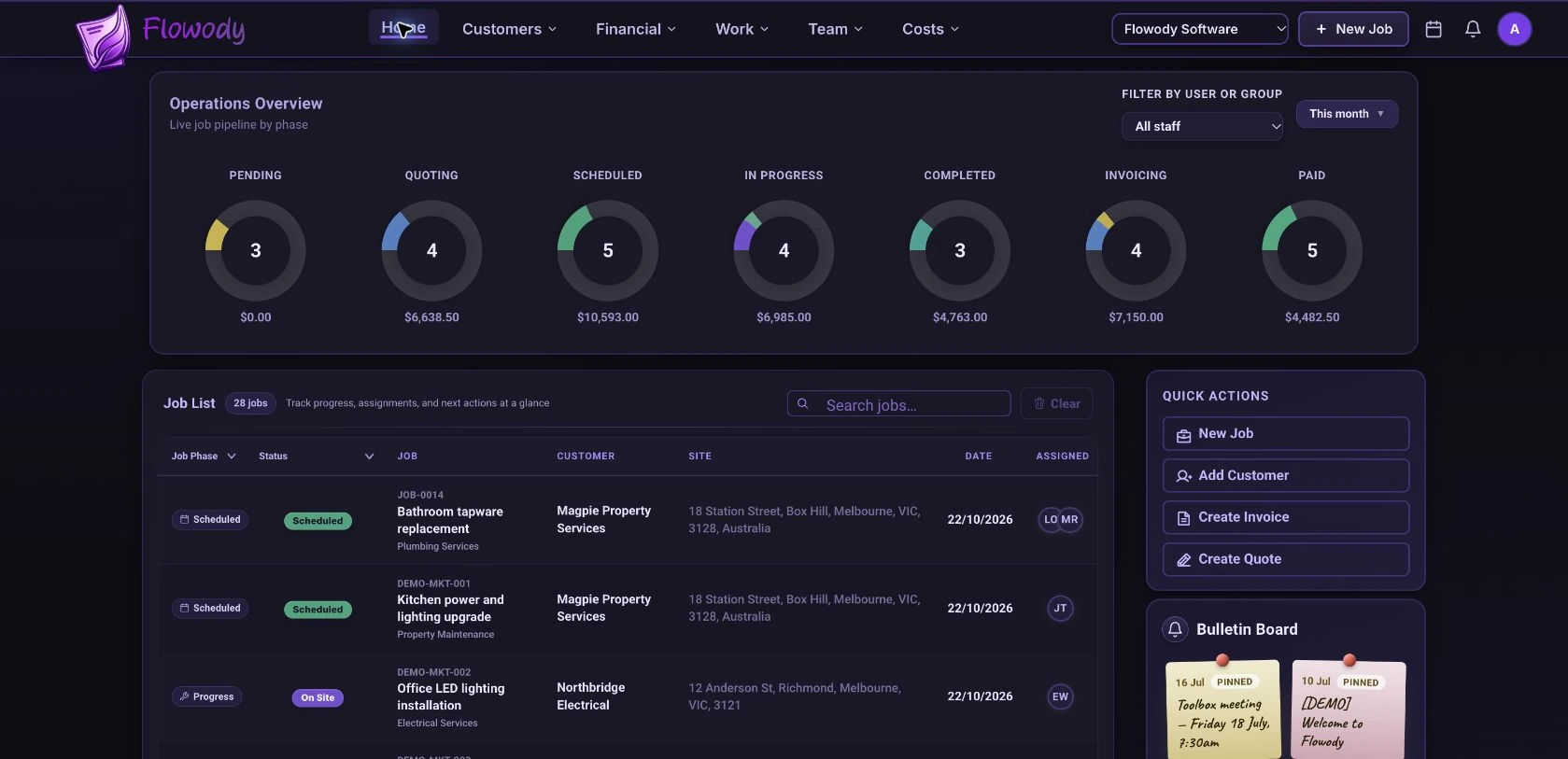
Every job. Every stage. One view.
Plan work and see team assignments.
More than a calendar and a job list
The details that make
your business stand out.
Win the work. Deliver it well. Leave a great impression.
See the tools that take you all the way there.
Less paperwork. A proper record.
Forms & signaturesYour forms. Your way. Signed on site.
Build the checklist, job sheet or handover form your business actually needs. Add photos, required fields and a signature, then keep the completed paperwork with the job.
- Build reusable forms with your own fields
- Collect a signature on the device or by secure link
- Keep forms, photos and job details together
MOBILE FORMS & SIGNATURES
YOUR FORMS.
ON THE JOB.
Fill. Sign.
Back to work.
Make every customer touchpoint count.
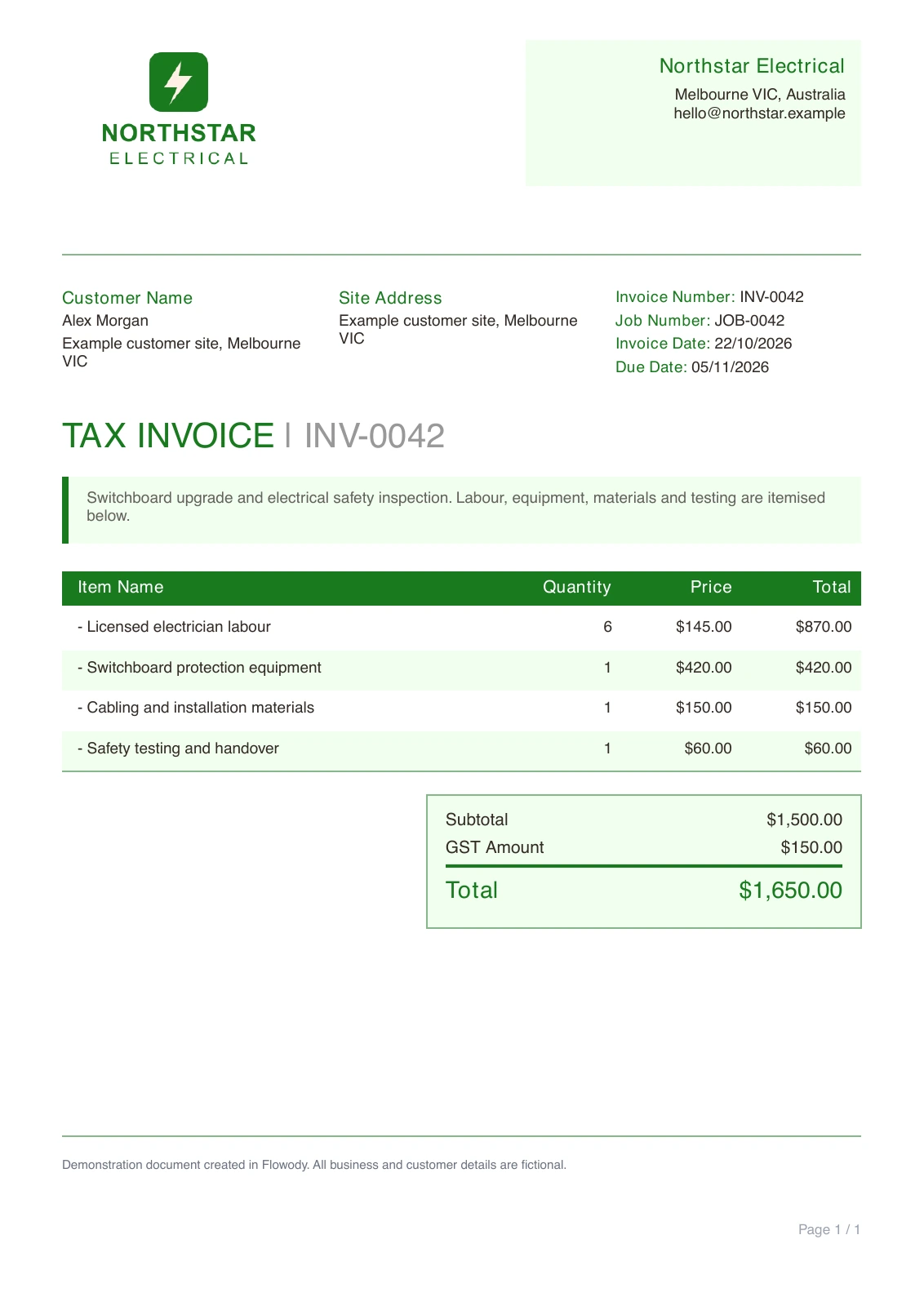
Quotes & invoicesLook professional. From quote to invoice.
Create branded quotes and invoices with your own logo. Use the built-in editor to customise colours, fonts, descriptions and footers, then carry accepted work through to invoicing without retyping it.
- Customise your document styling in the built-in editor
- Saved line items and reusable quote sections
- Customer acceptance, invoicing and online payment

Finish the job with a better experience.
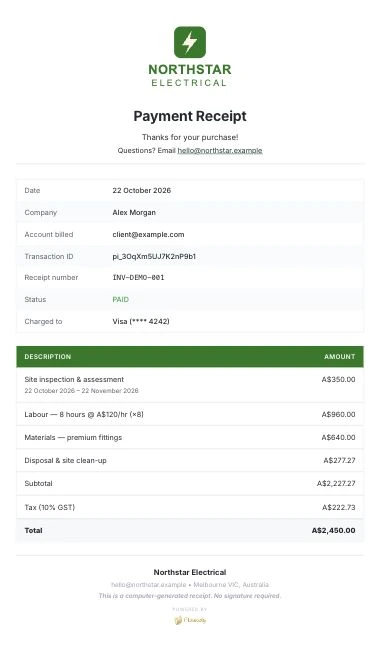
Payment receiptsPayment received. Receipt taken care of.
Successful invoice payments through your connected Stripe account receive a branded receipt automatically. For cash or bank transfers, record the money received, then email or download a receipt from Flowody.
- Automatic receipts for Stripe payments
- Branded email with a PDF receipt attached
- Record partial or full cash and bank payments
 View full size ↗
Every feature. Every plan.Forms, signatures, campaigns and more are included from day one.
Light & dark mode
Your workspace, in your light.
Explore the actual Flowody dashboard and native mobile app in either theme.

Before the visit. When plans change. After the job.
Keep customers informed,
without relying on memory.
A booked visit, a changed appointment and next year’s service each need a different message. Flowody gives your team a clear next step for each.
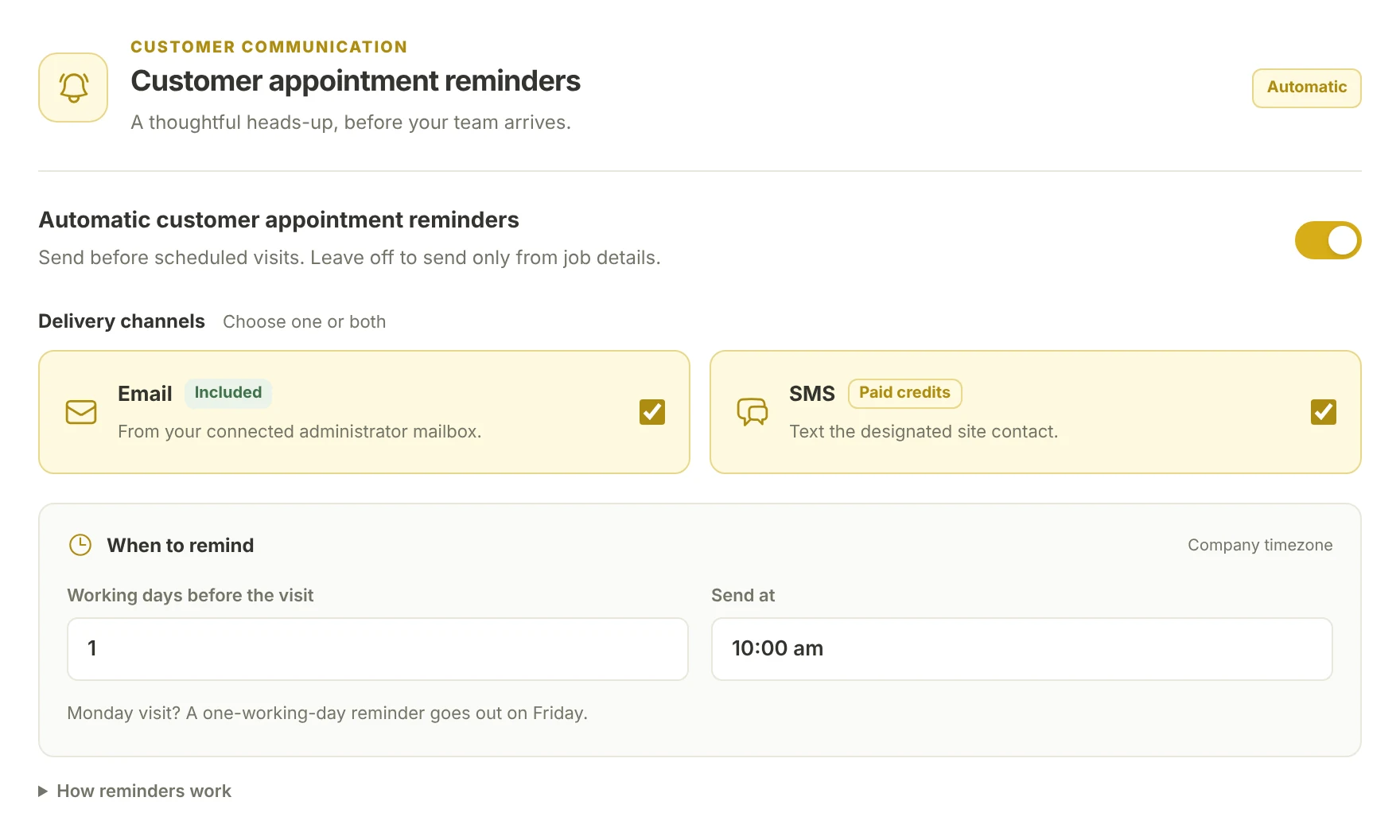
- 01 / Before the visit
Remind customers before service day.
Enable automatic visit reminders by email, SMS or both. Choose how many working days before the visit to send them and the send time in your company’s time zone. Messages go to the designated site contact, so customers can prepare for your arrival.
- 02 / When the schedule changes
A prompt to tell the customer.
When you reschedule a booking, Flowody prompts your team to notify the customer. Review the appointment change and choose email or SMS, or record that you already spoke to them. Choose Later and the booking stays flagged for follow-up: moving it on the calendar alone does not send a message.
- 03 / On the day
Let the customer know you’ve arrived.
Enable email or SMS updates to the designated site contact when the first team member checks in and the last checks out. Give customers a clearer picture of the visit while your crew records attendance in Flowody.
- 04 / When service is due again
Turn completed work into a follow-up.
Set service renewal and office follow-up reminders with due dates and recurring schedules. Notify your team in Flowody or by email, and optionally schedule a customer SMS using a selected template. Keep annual testing, maintenance and repeat services on your radar.
CUSTOMER COMMUNICATION, EXPLAINED
Stay in touch. Bring customers back.
Build your audience, prepare your message and send from your connected business email—all in Flowody.
The right message. The right customers.
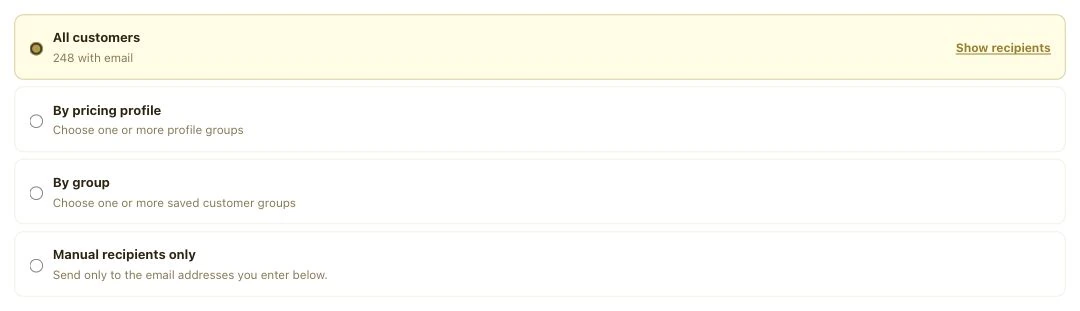
Send an update to your whole customer base, target customers by pricing profile, or choose a saved recipient group. You can also enter email addresses manually.
- All customers with a valid email
- One or more pricing profiles or saved groups
- Review your audience before sending
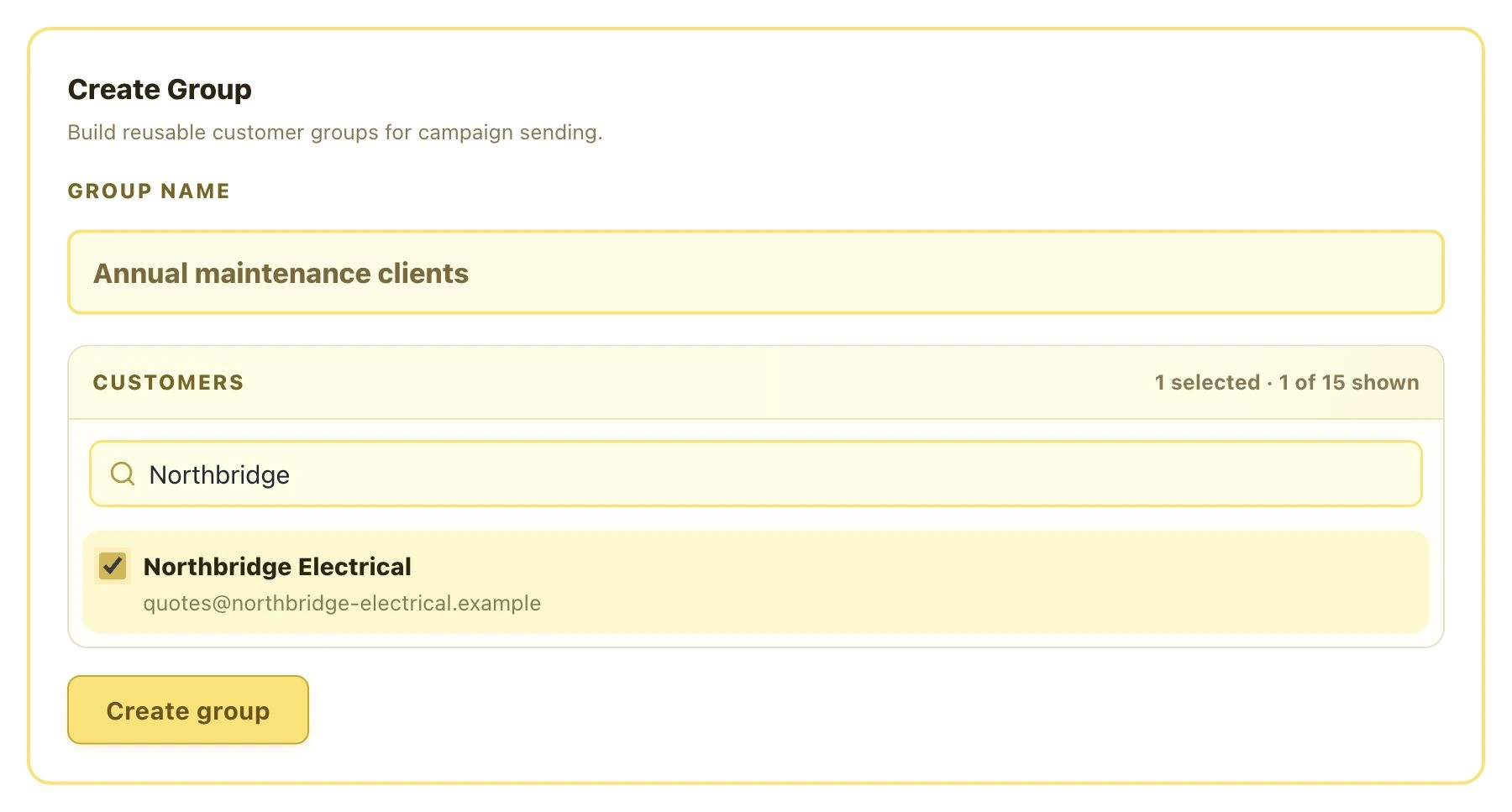
Create a group once. Reach them again.
Pick customers and save a named group for future campaigns. Organise audiences around the way you work—for example, annual maintenance clients or property managers.
- Search customers by name or email
- Choose who belongs in each group
- Reuse saved groups when preparing campaigns
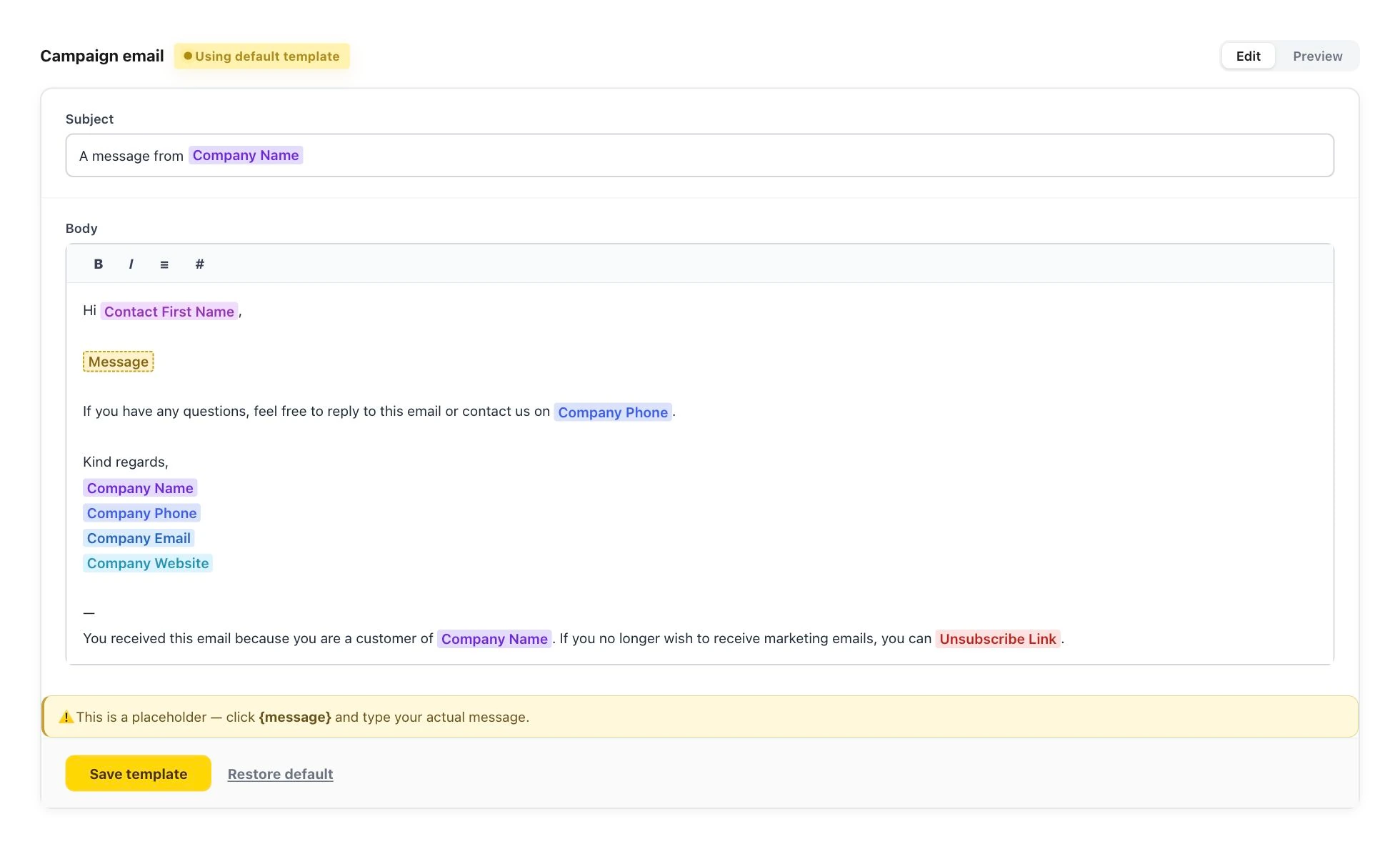
Your words, with the details filled in.
Email templates define what your message says; campaigns define who receives it. Edit the subject and body, insert customer and company tags, and preview your branded message before sending.
- Reusable templates for campaigns and everyday emails
- Personalisation tags for customer and business details
- Templates for quotes, invoices, jobs and reminders
A clear plan.
A connected crew.
A better working day.
Plan on desktop. Keep the job moving on mobile. Give your office and crew one shared picture of the work.
Plan in the office. Adapt on site.Schedule your crew on desktop. Owners and admins can quote and organise the next visit from the mobile app.
Know where the work standsRecord GPS check-in and check-out, labour time and materials against the job.
Keep the details with the jobTake customer and site details with you. Complete forms, collect signatures and add photos while on site.

Built around your working day
Find your trade.
See examples for your industry, or use the buyer’s guide to compare what matters to your business.
Choose the workflow that fits your business
Job management software for tradies and service businesses
Start with a job your team already understands. Prepare the quote, book the people doing the work, capture the site record and create the invoice. The useful question is how much information carries through each step without being entered again.
From quote to invoice
Follow the quote walkthrough, schedule the job and prepare the invoice to see the workflow in practice.
For your trade or service team
See workflows for electricians, plumbers, HVAC businesses and cleaning teams. Compare the records, forms and scheduling your own jobs need.
Compare software before you commit
Use the Australian job management software buyer’s guide to test the workflow and compare pricing for your actual team size, including any optional messaging and payment costs.
If coordinating mobile technicians is your main challenge, explore field service software for Australian service businesses for scheduling, job attendance and on-site records.
Customer and partner stories
How businesses use Flowody
See how A1 Testing & Tagging keeps its team and customers informed, and how Clevermode connects test reports and retest dates to Flowody jobs.
A few things before you start
Can Flowody remind customers before a visit and notify them when it changes?
Yes. Enable automatic pre-service email or SMS reminders with a working-day lead time and company-local send time. When you reschedule a booking, Flowody prompts your team to notify the customer or record that they were already informed. Calendar changes alone do not send a message. Email requires a supported sending setup; SMS uses paid credits.
Can I send payment receipts for cash and bank transfers?
Yes. Record the partial or full payment received, then email or download a branded receipt. Successful invoice payments through your connected Stripe account update payment status and send receipts automatically; cash and bank transfers must be recorded manually.
What is job management software?
Job management software connects the customer, quote, job schedule, site records, costs and invoice in one workflow. Flowody brings those records together for Australian tradies and service businesses, so the office and field team can work from the same job details.
Is Flowody suitable for tradies and service businesses?
Flowody suits sole traders and teams managing work at customer sites, including electrical, plumbing, HVAC, cleaning and maintenance businesses. It includes quoting, scheduling, digital job forms, attendance, job costing and invoicing. It does not include inventory control, project accounting or compliance certificate generation; check those requirements before choosing a system.
Does Flowody offer a free trial?
Every feature is available during your trial. A card is required, and you won’t be charged until the trial ends.
How much does Flowody job management software cost?
Plans start from $30 AUD per month for the first admin seat, with every feature included. Additional seats are priced separately. See the Pricing page for the cost of your team.
Can I use my existing business email?
Yes. Connect your supported Gmail or Microsoft mailbox to send customer emails from your business address. You can also configure a sending domain in Settings.
Can I create and send quotes from the mobile app?
Yes. Account admins can add customers and sites, prepare quotes and email them from their connected business mailbox using the Flowody app on iOS and Android.
Does Flowody connect with Xero and QuickBooks?
Yes. Flowody supports two-way Xero and QuickBooks integration to keep invoices and payments in sync.
Make room for a better working day.
Explore Flowody with your team for 30 days. Every feature included, so you can see how it fits your business.