How to record a payment and send a receipt in Flowody
Use this workflow for cash or bank transfer money already received against an invoice. Recording a payment does not charge your customer.
Open the invoice and check existing payments
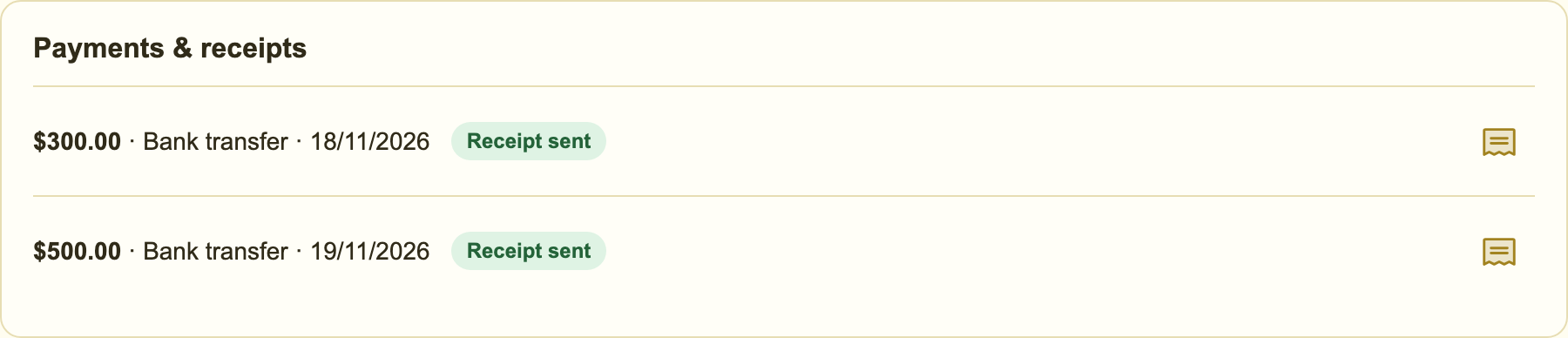
Open the job, choose Invoicing in the left sidebar and select the invoice you are being paid for. Check its outstanding balance and any entries under Payments & receipts. In this example, a $300 deposit has already been recorded against an $800 invoice, leaving $500 to record.

Choose Record payment
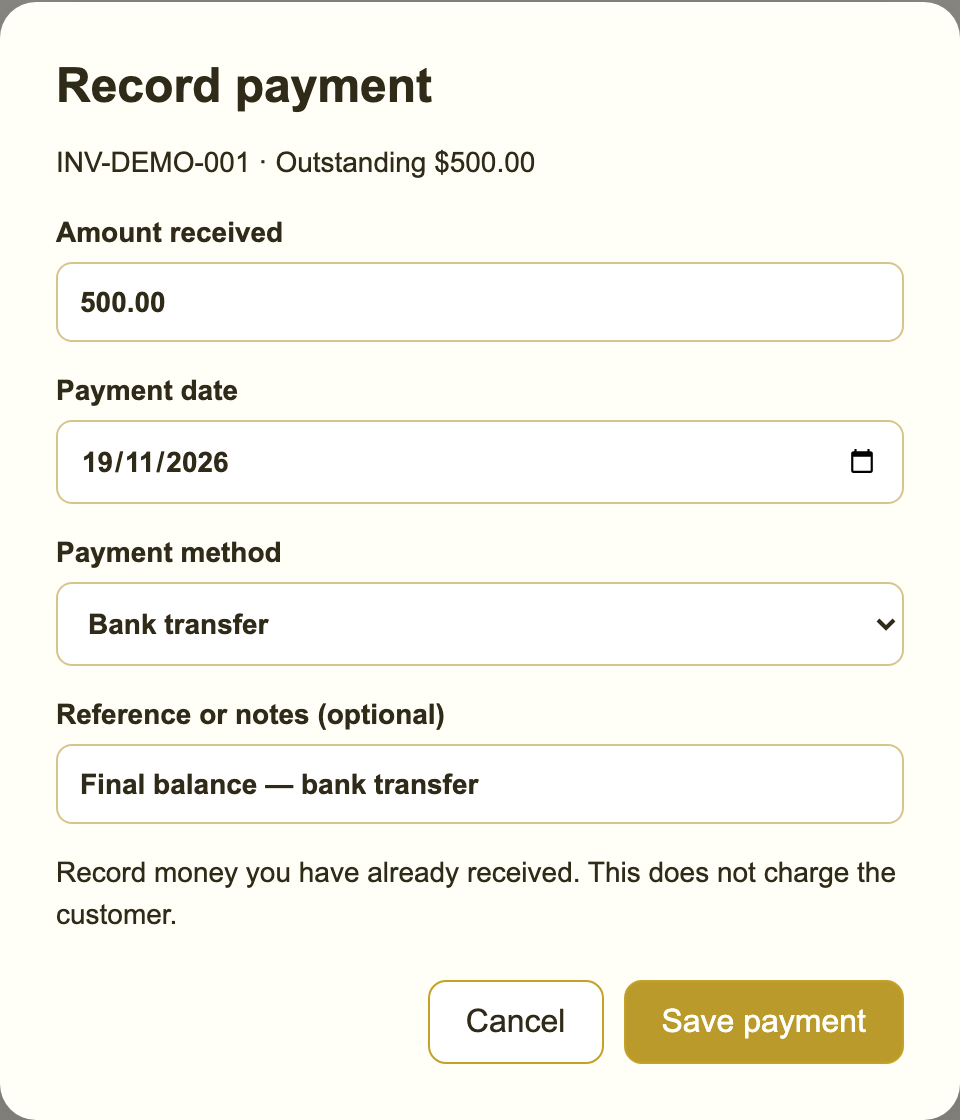
Select Record payment on the invoice. Enter Amount received and Payment date, choose Bank transfer or Cash under Payment method, and optionally add Reference or notes. For a deposit or partial payment, enter only the amount received; leave the unpaid balance outstanding.
Save the received payment
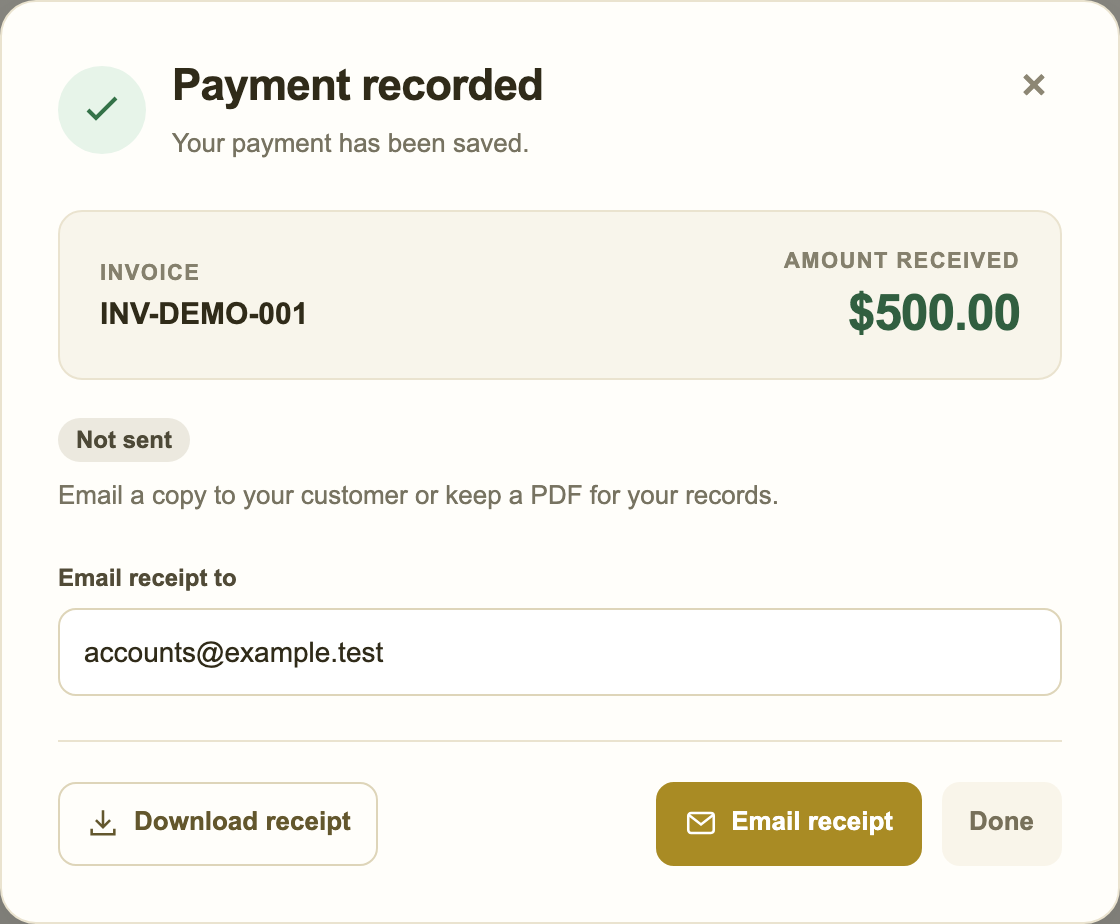
Select Save payment once. The amount must be greater than zero and no more than the outstanding balance. Payment recorded confirms the money is saved and shows the invoice number and amount received. The receipt is initially Not sent; you do not need to record another payment to email it.
Email or download the receipt
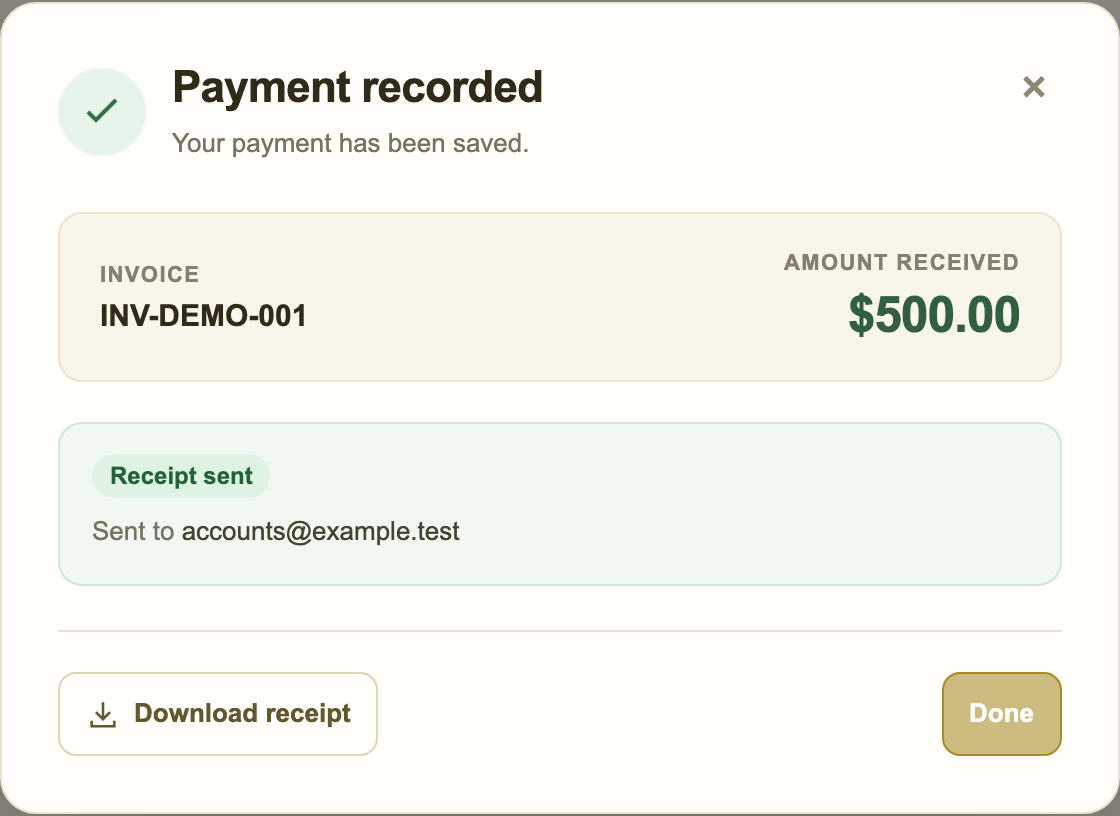
In the Payment recorded window, check or change Email receipt to, then select Email receipt. Receipt sent and the recipient address confirm the recorded delivery. To keep a PDF instead, choose Download receipt. Downloading alone does not email the customer. Select Done when finished.
Check receipt status in payment history
Return to Payments & receipts on the invoice to review each payment and its receipt status. Select the receipt icon beside the relevant payment to manage its copy. If Send failed appears, check the address and retry the receipt. If Sending or Check delivery appears, check your connected mailbox before trying again. Never record the payment again just to resend its receipt.
Frequently asked questions
What is the difference between an invoice and a receipt?
An invoice sets out the charges and requests payment. A payment receipt confirms money received. A receipt for a partial payment does not mean the entire invoice is paid.
Can Flowody send receipts for cash and bank transfers?
Yes. Record the payment against the invoice, then use Email receipt or Download receipt. Recording a manual payment does not charge the customer.
Does a failed receipt email mean the payment failed?
No. The payment record and receipt delivery are separate. Check the saved payment before retrying receipt delivery so you do not record the money twice.